
Estonian Tax and Customs Board | Takes about 5 minutes
Go to the Tax and Customs Board website emta.ee/en, click "Enter the e-MTA" and sign in with your preferred method (e-Residency card, ID-card, Mobile-ID, or Smart-ID).
In the upper left corner, click "Select a represented person".
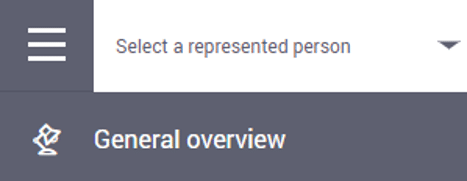
In the list that opens, select your company under "Legal persons", not under "Natural persons and sole proprietors".
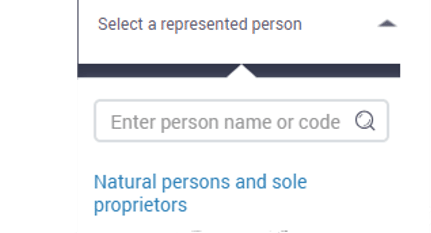
If you stay on your personal name, the access rights will be granted by you as a private person, not by your company.
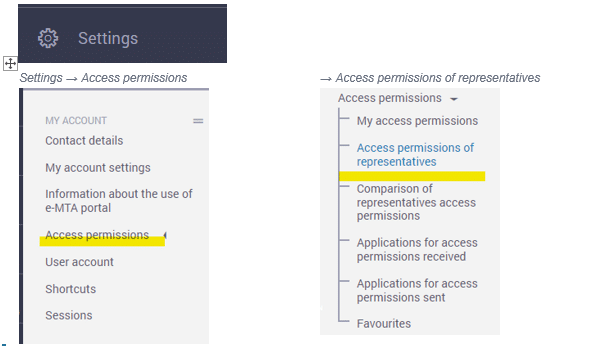
In the menu, go to Settings → Access permissions → Access permissions of representatives.
Click the "New access permission" button on the right side of the page.

In the field "Personal identification code or registry code", enter our registry code 11528017 and click "Search".
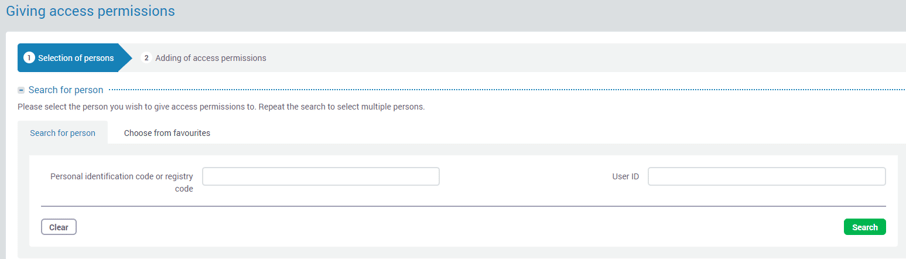
After the search, 1Office Estonia OÜ will appear in the Persons list. Under "Other information", set "Delegable permission" to "Yes".
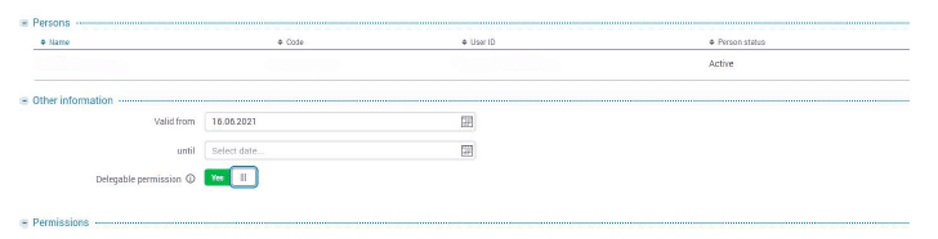
Scroll down to the Permissions section. Choose "Individual right" and select both of the following packages:
- Package for legal person's authorized representative
- Accountant's package
Find the required access permissions, tick the box on each line and click "Add" to confirm.
Once the rights are added, a green confirmation box will appear. Please let your accountant know by e-mail that access has been granted. If you have any questions, feel free to contact your accountant at 1Office.