
Company Registration Portal (RIK) via eesti.ee | Takes about 5 minutes
Go to www.eesti.ee/en and log in to the self-service with your e-Residency card, ID-card, Mobile-ID, or Smart-ID.
In the left menu, click your name and select your company under "Companies".
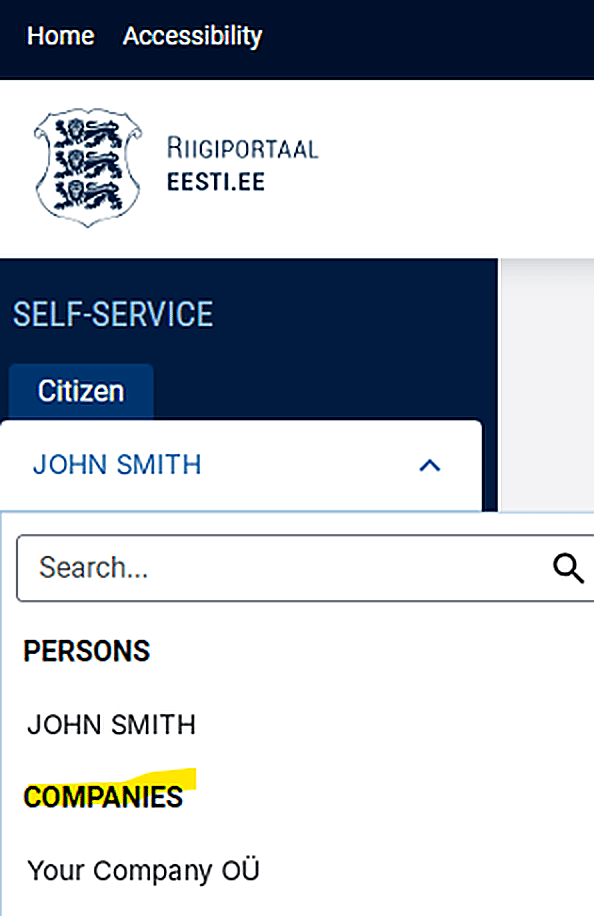
If you stay in your personal role, the authorisation will be given by you as a private person, not by your company.
In the left menu, click "Authorisations".
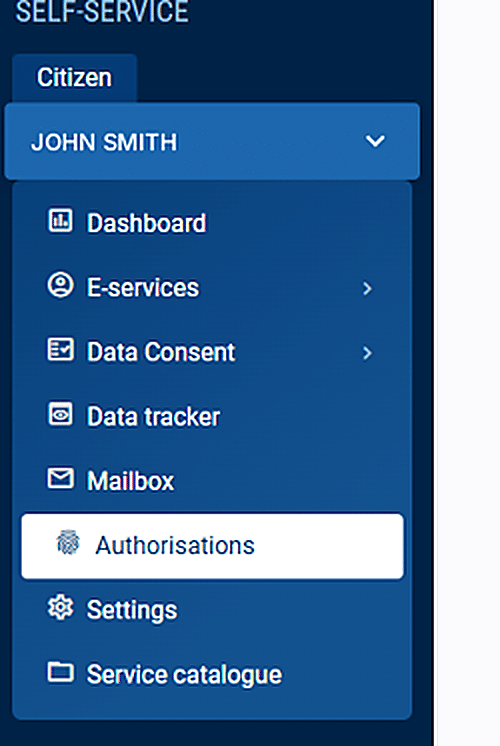
Make sure your company's name is shown at the top of the page. Click "+ Add authorisation".

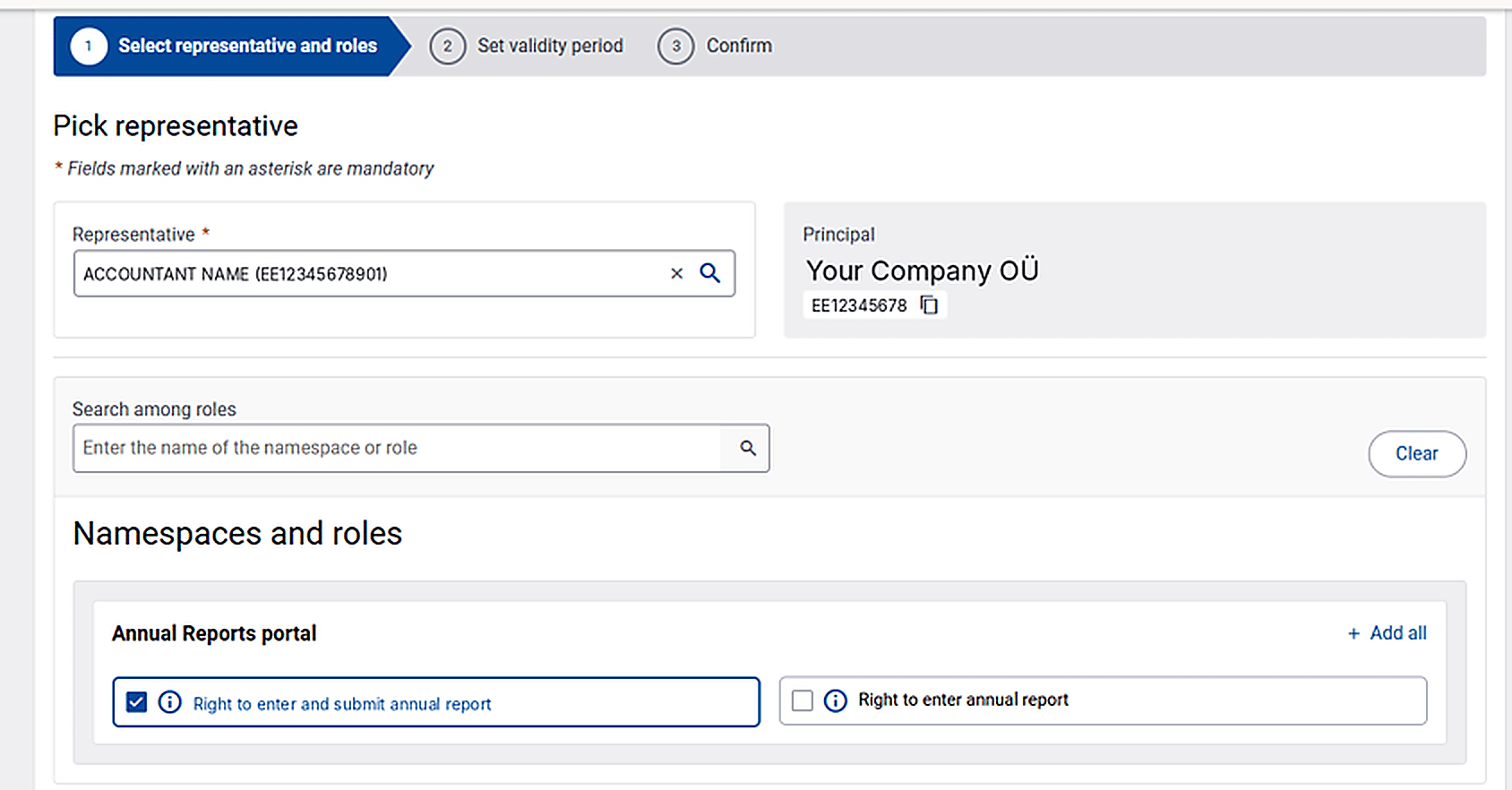
In the field "Representative", enter your accountant's personal identification code (your accountant will provide it to you).
Under "Annual Reports portal", tick "Right to enter and submit annual report" and click "Next".
Make sure "Authorisations are delegable" is ticked. Check the start date. If the authorisation should end on a certain date, untick "Authorisations are open-ended" and enter the end date. Then click "Next".
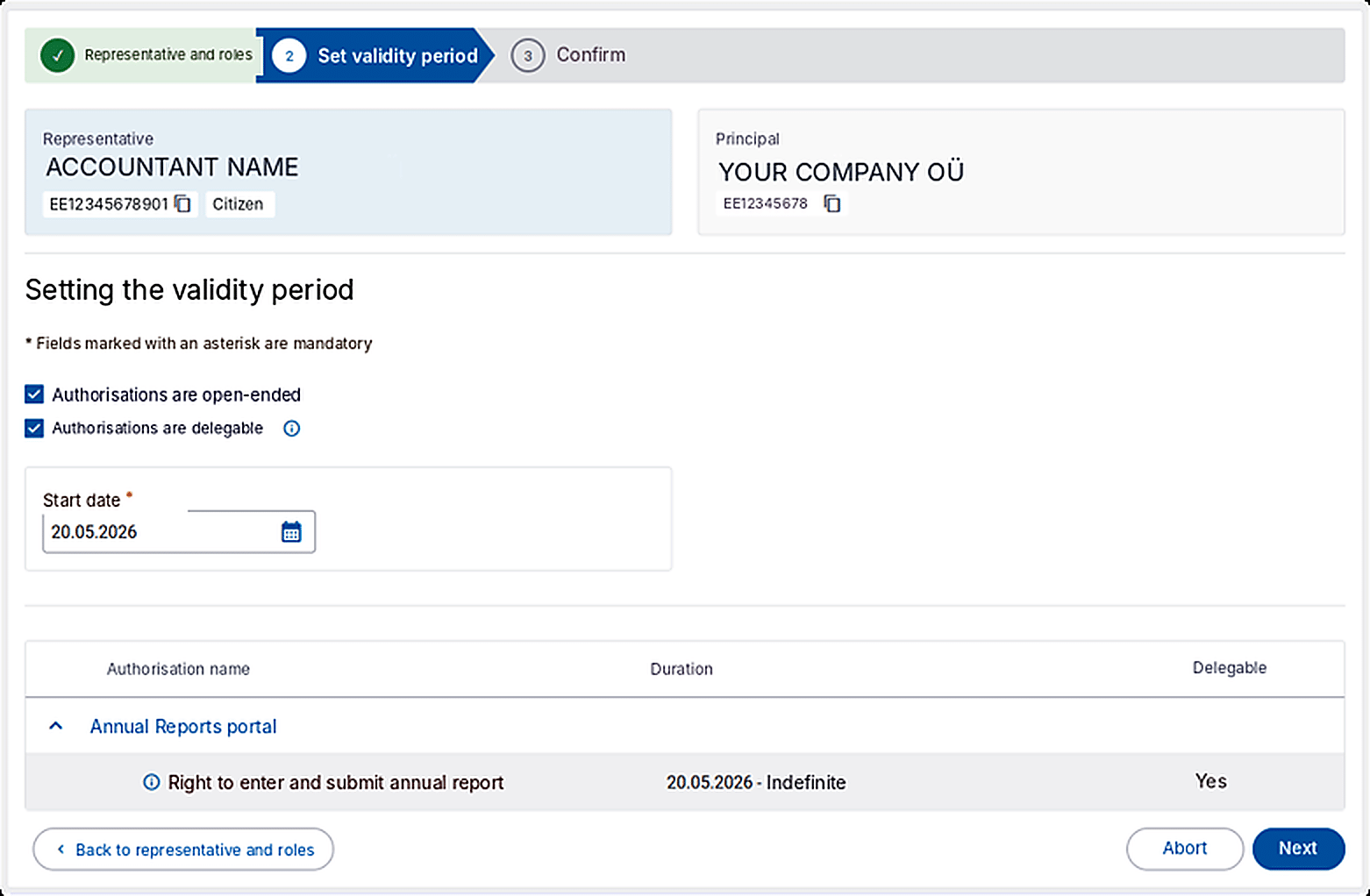
Review the details — representative, start date, role, and delegable status — and click "Confirm".
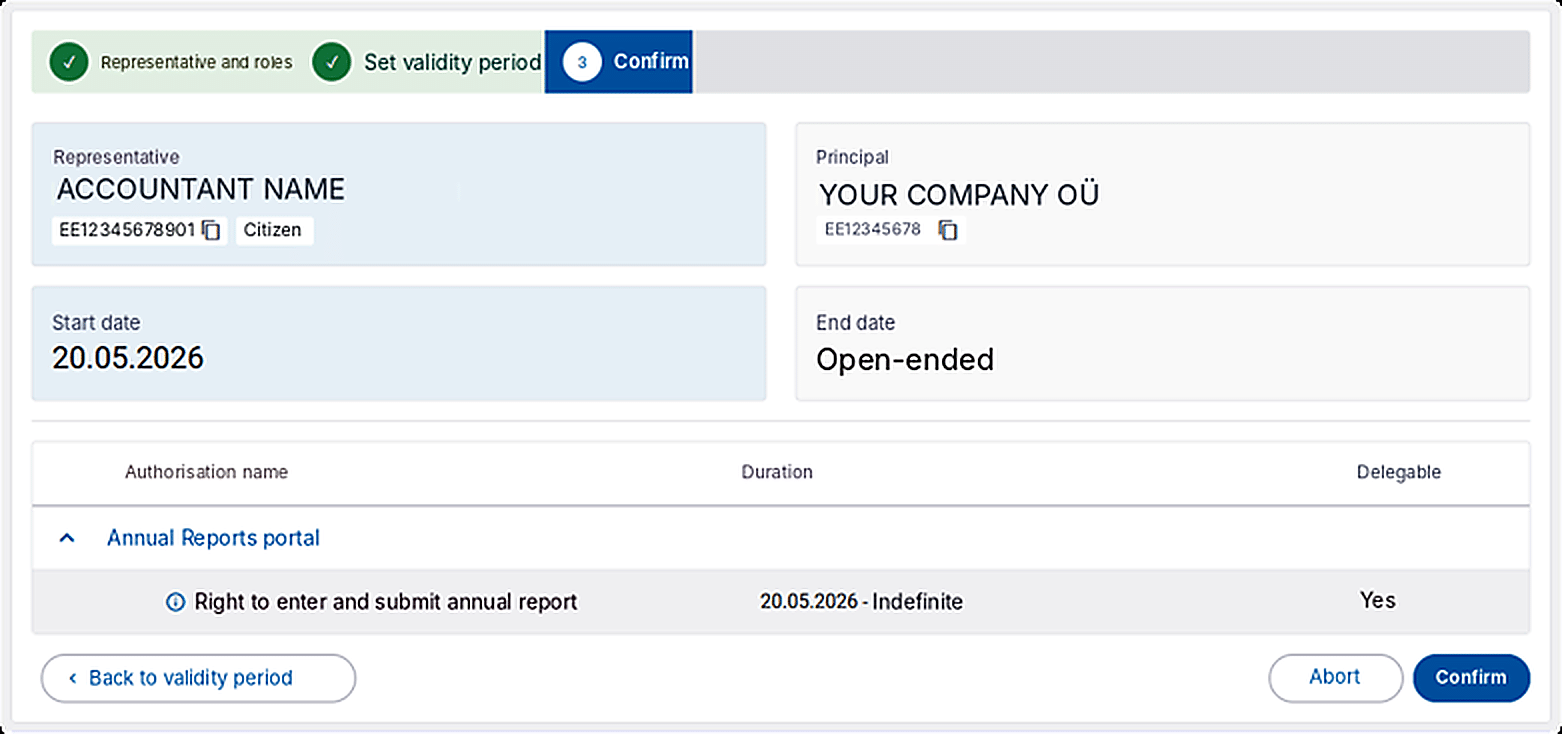
Once the authorisation is confirmed, it will appear on the Authorisations page. Please let your accountant know by e-mail. If you have any questions, feel free to contact your accountant at 1Office.
If your company's board members can only represent the company jointly, the other board members must confirm the authorisation in the "Pending confirmation" tab within 5 days.