
Statistics Estonia self-service | Takes about 5 minutes
Go to www.stat.ee/en and click "Go to self-service" in the top right corner.
Click "Enterprise questionnaires".
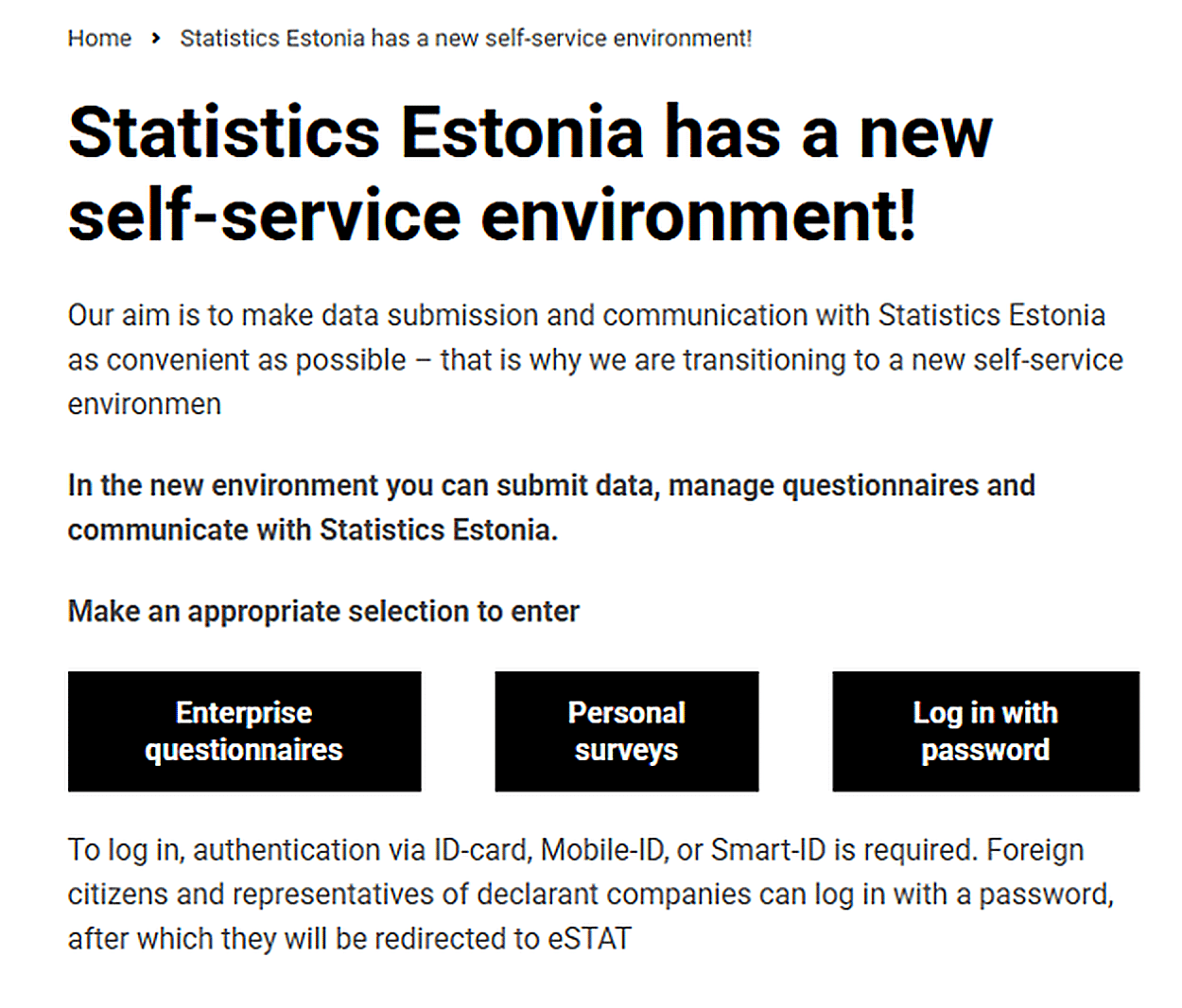
Log in with your e-Residency card, ID-card, Mobile-ID, or Smart-ID.
In the left menu, click the profile icon and select "User management".
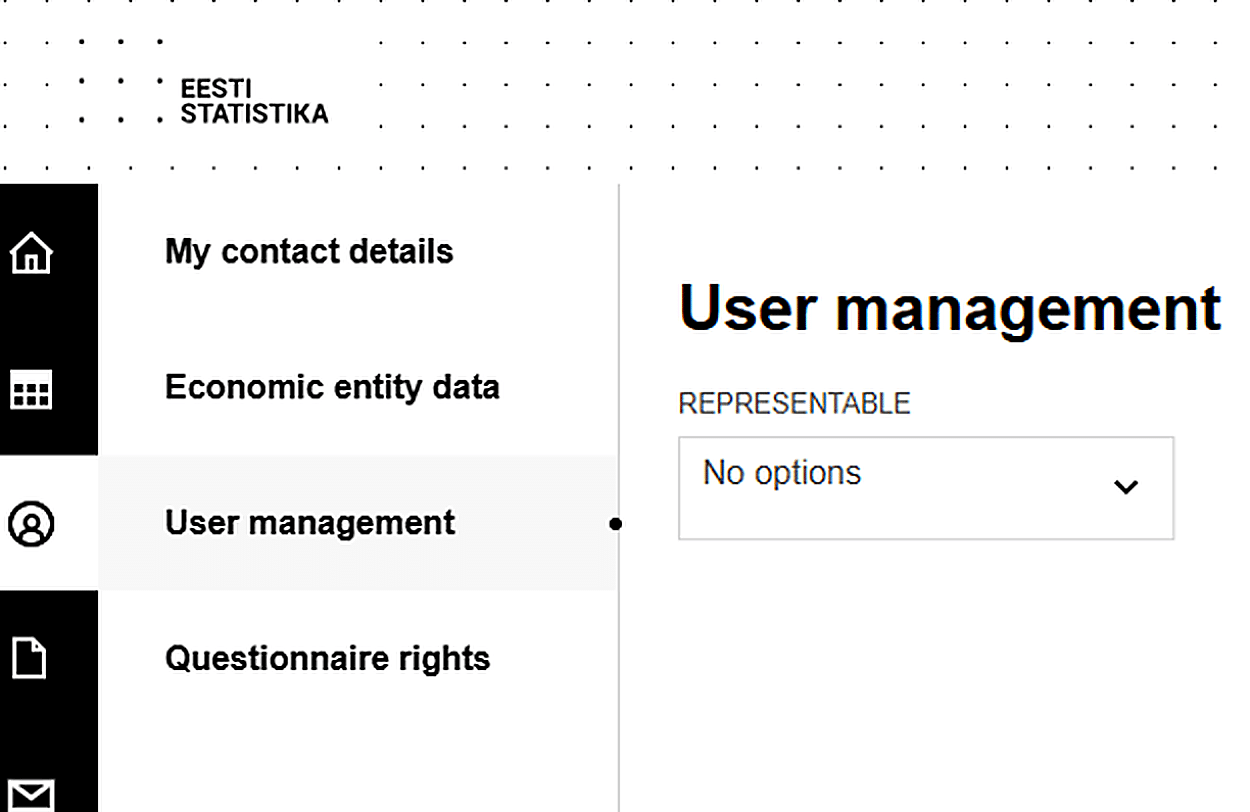
In the "Representable" drop-down list, select your company.
Your company appears in the list automatically if you are its management board member according to the Business Register.
Click "Add new user" and enter your accountant's personal identification code (your accountant will provide it to you), as well as their first name, surname, telephone, and e-mail.
Select the user rights for your accountant and click "Save".
Go to "Questionnaire rights" in the left menu and give your accountant the right to fill in your company's questionnaires.
Once your accountant has been added, please let your accountant know by e-mail. If you have any questions, feel free to contact your accountant at 1Office.