
As an entrepreneur in Estonia, managing access to various services for your accountant can streamline your business processes, ensuring smooth financial reporting and compliance. From e-MTA (e-Tax Board) to RIK and Statistics Estonia, granting access permissions allows your accountant to efficiently handle the necessary tasks for your company. In this guide, we’ll walk you through the process of granting access to your accountant for three key services: e-MTA, RIK, and eSTAT.
1. Granting access to e-MTA (e-Tax Board)
To allow 1Office Estonia OÜ and your accountant to manage your tax affairs, you’ll need to grant them access via the e-MTA portal. Follow these steps:
-
- Log in to the e-MTA environment: Visit www.emta.ee and log in using your e-residency card.
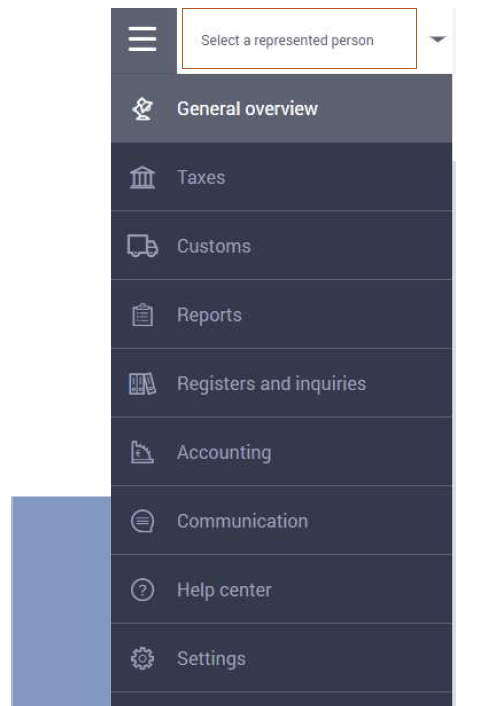
- Select your company: Choose your company under the represented person section.
-
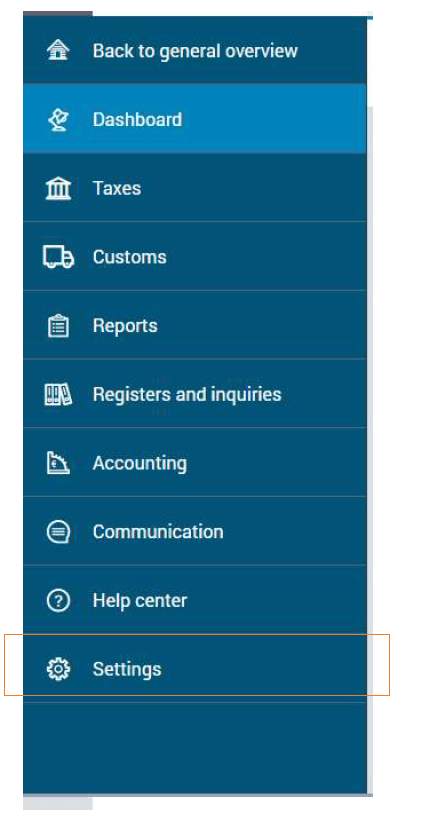
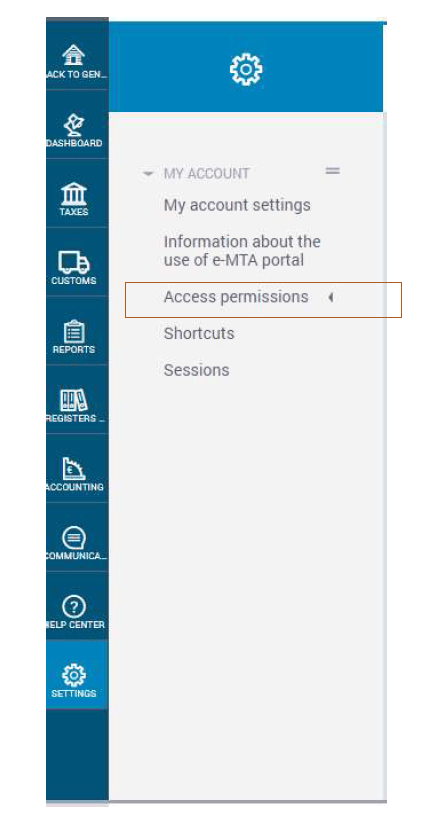
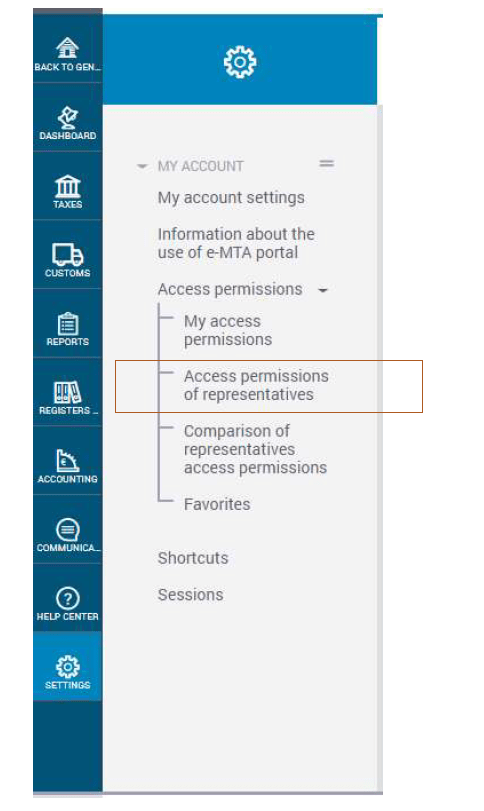
- Navigate to access permissions: Go to Settings → Access permissions → Access permissions of representatives.
-
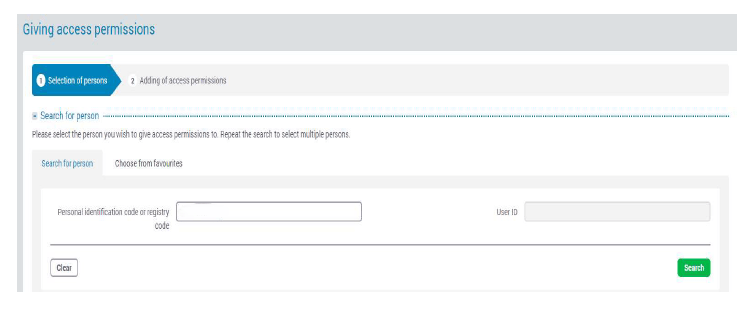
- Grant access: Choose your company, then click New access permission. Find your accountant using their personal ID code or user ID, and click Search.
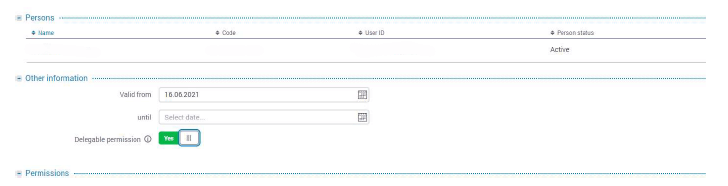
- Assign permissions: Tick the name of your accountant, specify the start date, and select Delegable permission.
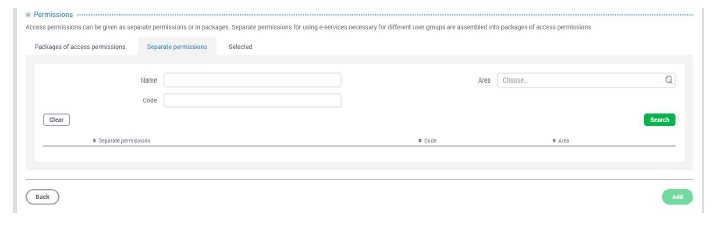
- Configure specific rights: Under Separate permissions, grant your accountant the right to administer user rights.
-
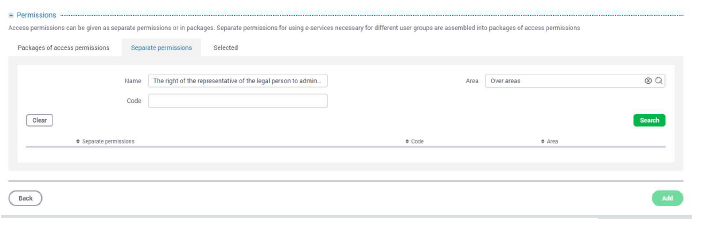
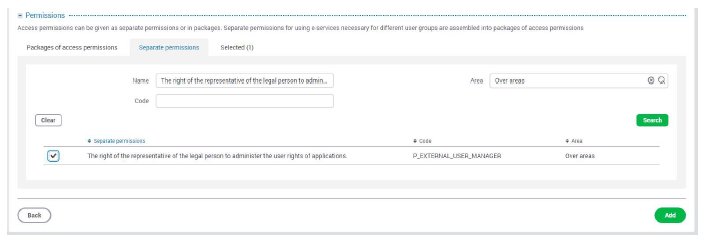
- In the space provided next to “Name” write “The right of the representative of a person to administer the user rights of applications” and select “Over areas” from the list provided next to “Area”, then push the „Search“ button.
-
- Tick “The right of the representative of the legal person to administer the user rights of applications“ and click “Add”.
-
- Confirm Your choice by clicking “Add”.
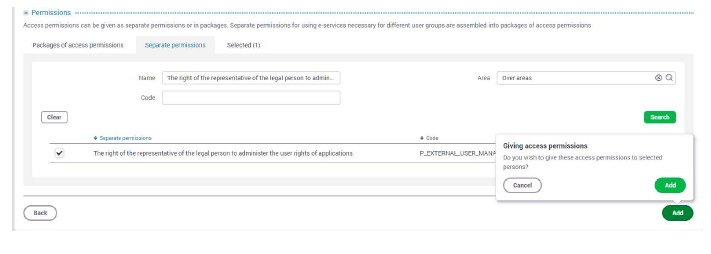
- Confirm: After finalising, confirm your selections and check for a green confirmation box indicating successful addition.
If you cannot sign digitally, send a photo of yourself holding your ID and the signed Power of attorney for using services related to compliance with tax liability in the e-services environment of the Estonian Tax and Customs Bord to [email protected]. For further details, refer to e-MTA’s guide.
2. Granting access to RIK (Company Registration Portal)
For submitting annual reports, 1Office and your accountant needs access to RIK. Here’s how to grant it:
- Log in to the Company Registration Portal: https://ettevotjaportaal.rik.ee
- Select “Annual Report” from the main menu.
- From the submenu, select “Defining persons entering data”.
- Add a new person authorised to enter data.
- Enter the registry code of 1Office Estonia OÜ: 11528017.
- Select the company or companies for which you wish to grant access.
- Tick the box “The person entering data is authorised to submit the report”.
- Click “Save”
For further instructions, visit RIK’s help page.
3. Granting access to eSTAT (Statistics Portal)
If 1Office or your accountant needs access to file statistical reports, here’s how to grant access via the eSTAT platform:
-
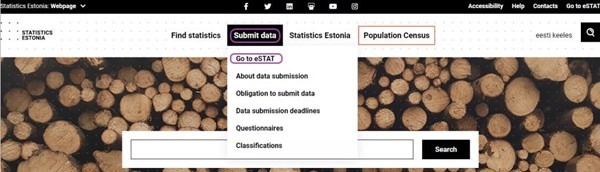
- Visit the eSTAT webpage: Go to www.stat.ee/en and click Go to eSTAT.
-
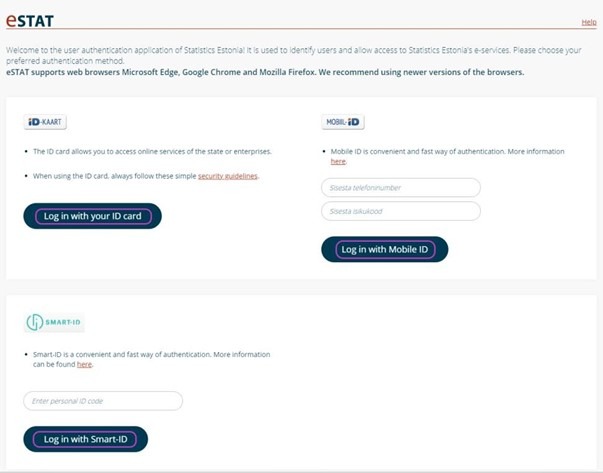
- Log in: Choose your preferred login method (e-Residency card is the same as ID card).
-
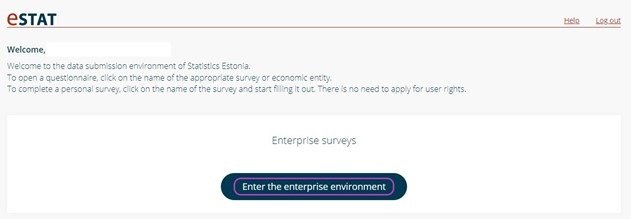
- Enter the enterprise environment: Click on Enter the enterprise environment.
-
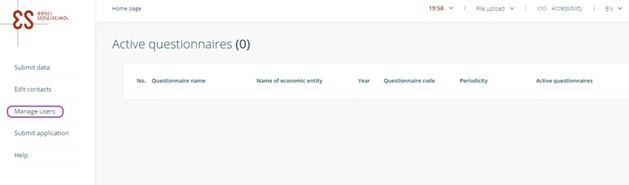
- Manage users: Navigate to Manage users and click Add new respondent.
-
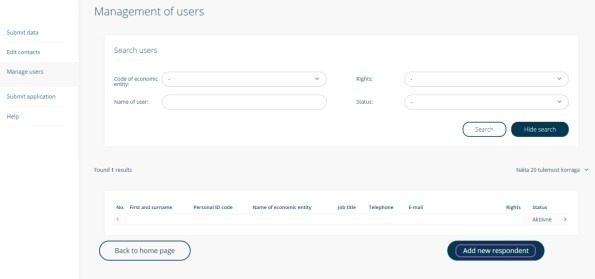
- Add your accountant by pressing “Add new respondent”: Select your company from the drop-down menu and enter your accountant’s details (ID code, name, job title, etc.).
-
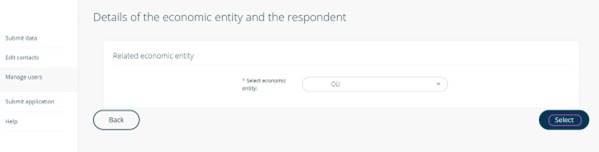
- Select a company (economic entity) from the drop-down menu and press “Select”
-
- Fill in the fields „Personal ID code“, „First name“, „Surname“, „Telephone“, „E-mail“, select from the drop-down menu „Job title“ and „Select user rights“, then press „Save“
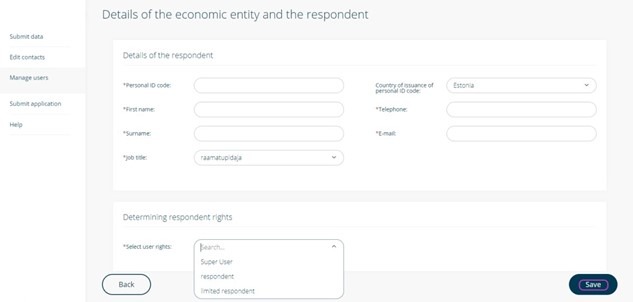
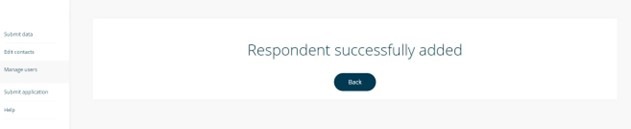
- Save: After filling in the necessary information, save your changes, and access will be granted.
Granting access to these essential services ensures that your accountant can manage your business’s financial tasks smoothly, allowing you to focus on growing your company. By following these steps, you can easily assign the necessary permissions for tax filing, annual reports, and statistical reporting. This not only simplifies compliance but also keeps your business running efficiently.
For any assistance, please contact [email protected].